Dub YouTube Videos with ElevenLabs
Dub a 30–60-second sample first to validate speaker, translation, and timing before scaling to full videos.
- Category
- Photo, video & ads
- Official sources
- 6
- Read time
- 9 min
- Last checked
- 2026.09.24
Prepare videos and rights before upload
ElevenLabs' human-edited dubbing service (Productions) documents MP4, MOV, AVI and MKV input with MP4 output by default; for self-service dubbing, follow the formats shown on the upload screen.
Whether using a YouTube URL or a local file, the original video, script, music, and voice rights of on-screen talent must be held. Downloading another channel’s video and translating it does not grant re-upload permission.
Run an initial test on a 30–60-second segment. Segments with loud background music, overlapping speech, or frequent off-screen speakers complicate automatic speaker separation and timing validation. If an editing project exists, archive separate audio tracks for dialogue and background music as fallback sources.
If voice cloning is required, obtain explicit consent from each speaker and confirm the intended usage scope. If consent is unavailable, disable voice cloning in Dubbing settings and evaluate using similar voices from the Voice Library. Ensure workspace permissions and slots are available to add library voices.
Calculate costs using the on-screen estimate before finalization
The ElevenLabs pricing FAQ lists dubbing at 2,000 credits per minute (automatic, with watermark), 3,000 (automatic, without watermark), 5,000 (Dubbing Studio, with watermark) and 10,000 (Dubbing Studio, without watermark).
The total is that rate times video length and number of target languages, shown before you confirm, so per-minute figures from older articles must not be used as current pricing. Even for the same file, changing the language or model changes the estimate; the on-screen total is the authoritative figure.
| Estimate tracking item | Sample A | Sample B | Full video |
|---|---|---|---|
| Source length | 30–60 s | 30–60 s | Actual length |
| Dubbing model | Record displayed name | Record alternate candidate | Approved model |
| Target languages | 1 | 1 | Required count |
| Pre-confirmation cost | Record displayed amount | Record displayed amount | Record displayed amount |
| Re-generation count | 0 | 0 | Expected count |
| Approval status | Pending/Approved | Pending/Approved | Generated/Stopped |
Budget for practical use by adding a buffer for re-inspection to the on-screen estimate. For example, comparing Sample A and B for language, speaker separation, and speech rate before full production reduces the risk of redoing long files due to incorrect settings.
Capture the estimate screen with the date and also record subscription plan remaining usage at the same time.
For internal drafts, select one target language and a 30–60-second sample. Use Dubbing Studio when segment-by-segment adjustments to speakers, translation, and timing are required, and confirm the scope of edits and re-generation costs before scaling to the full video.
For large-scale production or when human translation and quality control are needed, discontinue auto-dubbing and request a custom quote from Productions, comparing both paths.
Review translation, speaker assignment, and timing segment by segment
Auto-dubbing must align translation accuracy with speech duration and scene transitions. Search the full subtitle list for errors in product names, personal names, monetary amounts, dates, and URLs, as these can drastically alter meaning.
If speech is longer than the video segment, shorten the translation while preserving core meaning; if too short, verify that silence gaps do not appear unnatural.
If a speaker is incorrectly assigned, edit the speaker label and voice for that segment. Perfect lip-sync is not guaranteed, so avoid altering meaning solely to match mouth movements.
Scenes with large facial close-ups are more sensitive to timing errors and should be prioritized for review, while narration-focused videos require balancing pronunciation and background audio levels.
Dubbing review checklist: segment timestamp / source text / translated text / speaker / pronunciation error / timing difference / background audio / approver / re-generation credits
Each modification may incur costs, so avoid regenerating the same segment multiple times; instead, compile a single review pass with a consolidated list of edits. Establish consistent transliteration rules for proper nouns to reduce repeated errors across languages.
Seven-step workflow from sample to published file
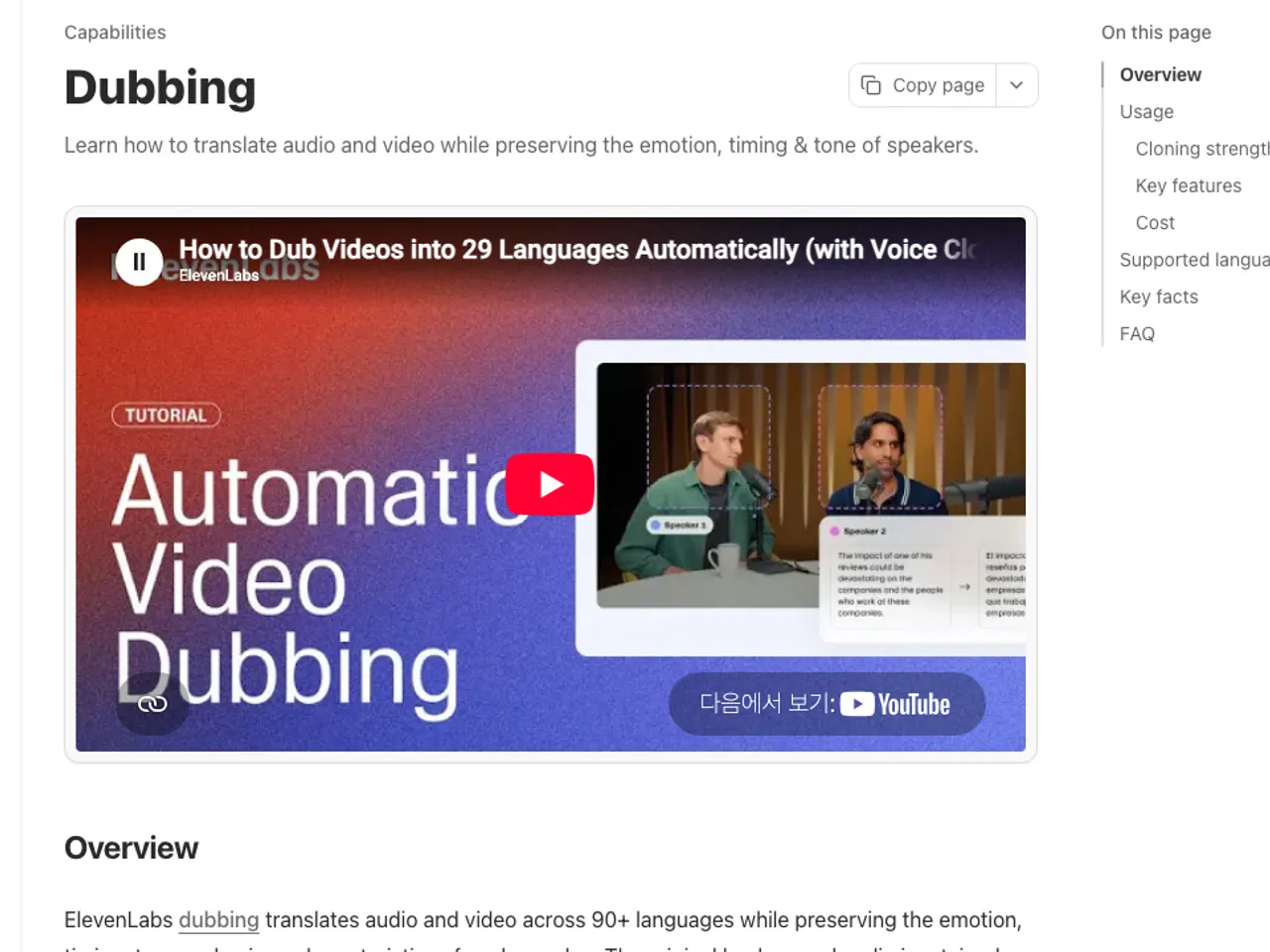
- Confirm usage rights for the original video and explicit consent for voice cloning of each speaker, then export a 30–60-second test segment.
- In the Dubbing interface, upload the file or an approved source URL and verify the automatically detected source language.
- Select one target language, record the dubbing model, video length, language count, and the pre-confirmation total cost.
- Test automatic speaker separation; if speakers are missing, specify the actual number of speakers and compare with a new sample.
- In the generated subtitles, first correct names, numbers, and brands, then review speaker assignment and timing scene by scene.
- Generate the full video using the approved sample settings; apply additional languages to the same project if needed.
- Download the MP4, compare resolution, aspect ratio, and audio synchronization with the original, then upload as an unlisted YouTube video for final review.
The completion criteria are: audio matches video at start and end, speaker voices are preserved, no errors in numbers or proper nouns, and the MP4 plays at the required resolution. Before publishing, verify translated titles, descriptions, and captions for accuracy and compliance with rights conditions.
For commercial use such as YouTube monetization, separately confirm copyright for the original video, script, and music, as well as voice-cloning consent for on-screen talent and YouTube policies. ElevenLabs payment or technical generation success does not substitute for licensing third-party content.
Apply alternative paths based on failure causes
If upload fails, do not merely change the file extension; instead, check actual codec, file size, and corruption. Re-export a short segment in supported MP4 format; if successful, convert the full video using the same settings. If URL ingestion fails, use an uploaded file for which rights are held as an alternative.
If dialogue is obscured by background music, recreate a short sample with separated dialogue and music tracks in the original editor, then re-dub. If speakers frequently overlap, avoid relying solely on automatic separation; edit speaker assignments and segment boundaries in Dubbing Studio or consider professional dubbing services as an escalation path.
If credits are insufficient, reduce the number of languages and halt full production before sample approval. Never bypass limits by using multiple free accounts. For large projects requiring quality control, review Productions’ custom quote and up to 7-business-day target schedule, comparing against auto-dubbing options.
Revision history · 2026-09-24
This article was revised against the provider’s official documentation. Korean note
Sources
ElevenLabs — Flexible pricing for your needs (2026-08-15)
ElevenLabs Help Center — How much does Dubbing cost? (2026-08-15)
ElevenLabs Documentation — Dubbing (2026-08-15)
ElevenLabs API Reference — Dub a video or audio file (2026-08-15)
YouTube Help — Add multi-language audio (2026-08-15)
YouTube Help — Add subtitles and captions (2026-08-15)
Open provider document