how-to-draft-business-emails-using-chatgpt
Learn how to safely configure ChatGPT settings and use structured prompts for drafting secure company emails while adhering to data control policies.
 OpenAI
- Category
- AI for work & Office
- Official sources
- 9
- Read time
- 5 min
- Last checked
- 2026.09.16
Data Security Configuration Based on Account Type
When drafting business emails with ChatGPT, verify whether entered data contributes to model training first. Personal Free or Plus accounts default to utilizing user inputs for model enhancement, requiring configuration changes.
Conversely, ChatGPT Business, Enterprise, or Education subscriptions exclude input data from training by default and apply TLS 1.2+ during transmission and AES-256 at rest.
For personal accounts used in work contexts, either deactivate 'Improve the model for everyone' or utilize Temporary Chat features. Organizational accounts adhere to workspace data handling guidelines set by administrators.
Personal free-tier users should disable learning options via Settings before composing work emails. Organizations subscribed to Business or Enterprise tiers benefit from automatic non-learning policies and encryption, eliminating the need for individual adjustments.
| Account Type | Learning Included? | Encryption Standard Applied | Conversation History Stored? |
|---|---|---|---|
| Personal Accounts (Free/Plus) | Default included (configurable) | TLS 1.2+/AES-256 | Saved by default (Temporary Chats deleted after 30 days) |
| ChatGPT Business/Enterprise | Excluded by default | TLS 1.2+/AES-256 | User-specific storage (admin cannot directly access individual chats) |
Example Prompts for Generating Emails
Enhance email accuracy by distinctly separating recipient details, purpose, key points, constraints, and variable inputs. Sensitive corporate or personal data fields must be designated as variables enclosed within brackets to avoid direct exposure to models.
Copy the template below into the input field and modify bracketed sections based on real-world context.
[Role] Professional business communication specialist.
[Purpose] Draft an announcement email regarding {Project Schedule Change}.
[Recipient] {Partner Project Manager}
[Key Points]
- Original completion date: {Date_A}
- Revised completion date: {Date_B}
- Reason for schedule change: {Reason_X}
- Request: Confirmation response required for {Request_Y}
[Constraints]
- Tone: Formal business language (~합니다/~입니다 format)
- Length: Approximately 300 characters
- Omit specific customer names, amounts, internal codes; replace with [Customer Name], [Amount]
Step-by-Step Execution Process
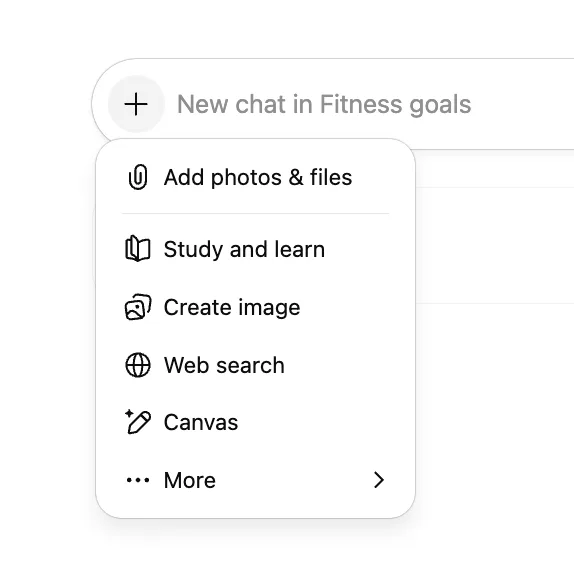
Follow these sequential actions from prompt input to final output copying:
- Navigate to chatgpt.com, click the profile icon at the bottom left, then select 'Settings.'
- Choose the 'Data Controls' tab and toggle off 'Improve the model for everyone,' or enable 'Temporary Chat' from the top conversation list.
- Paste prepared email generation prompts into the input box, replacing placeholder variables ([Recipient], [Purpose], etc.) with minimal relevant work details.
- Manually insert official names and numerical values where placeholders like [Customer Name], [Amount], or [Date] appear in the generated draft.
- Copy the finalized body into your organization’s email client (e.g., Outlook, Gmail), confirm subject line and recipient address, and send.
Completion Verification Before Sending
Despite grammatical correctness, AI-generated drafts may exhibit contextual inconsistencies or tonal mismatches. Verify manually before dispatch.
A fully completed draft displays official terms instead of placeholder tags ([Customer Name], [Amount], [Date]). Additionally, ensure appropriate formalities match recipients’ ranks, such as external partners or internal executives.
- Placeholder Replacement Check: Confirm all [Customer Name], [Amount], [Date] tags have been replaced with factual details.
- Recipient Tone Appropriateness: Validate respectful formality levels suitable for external collaborators, internal executives, or team members.
- Clarity of Requests: Ensure reply deadlines or actionable items are explicitly stated without ambiguity.
- Fact Consistency: Cross-check mentioned dates, referenced attachments, and product names against original project requirements.
Troubleshooting Response Errors and Input Blocks
If responses halt mid-generation or inputs get blocked, network issues or content filters might cause this. Look for 'Unusual activity detected' alerts or interruption icons, then inspect keywords and connectivity.
Common rejection errors stem from excessive sensitive keywords or filtered terms in submitted data. Restart conversations, substitute sensitive phrases with generic nouns, and retest functionality.
Old conversation records remain stored for 30 days even if personal account settings update. For organizations prohibiting external AI tools, opt for on-premises generative AI solutions or approved proprietary software. Consult security officers about authorized input scopes and outbound data protocols when organizational policy breaches seem likely.
Sources
openai.com — Business data privacy, security, and compliance (2026-09-16)
help.openai.com — Managing data, sharing, and privacy in ChatGPT Business (2026-09-16)
help.openai.com — Data Controls FAQ (2026-09-16)
openai.com — Introducing ChatGPT - OpenAI (2026-09-16)
openai.com — ChatGPT can now see, hear, and speak - OpenAI (2026-09-16)
help.openai.com — The ChatGPT home page | OpenAI Help Center (2026-09-16)
learn.chatgpt.com — ChatGPT | ChatGPT Learn (2026-09-16)
learn.chatgpt.com — ChatGPT desktop app | ChatGPT Learn (2026-09-16)
help.openai.com — What is ChatGPT: FAQ - OpenAI Help Center (2026-09-16)
Open provider document