Compare Canva Gamma PowerPoint for presentation needs
Compare Canva, Gamma, and PowerPoint Copilot features and pricing to choose the right tool for your presentation goals.
- Category
- AI for work & Office
- Official sources
- 6
- Read time
- 5 min
- Last checked
- 2026.09.24
Comparison table for Canva, Gamma, and PowerPoint by task requirements
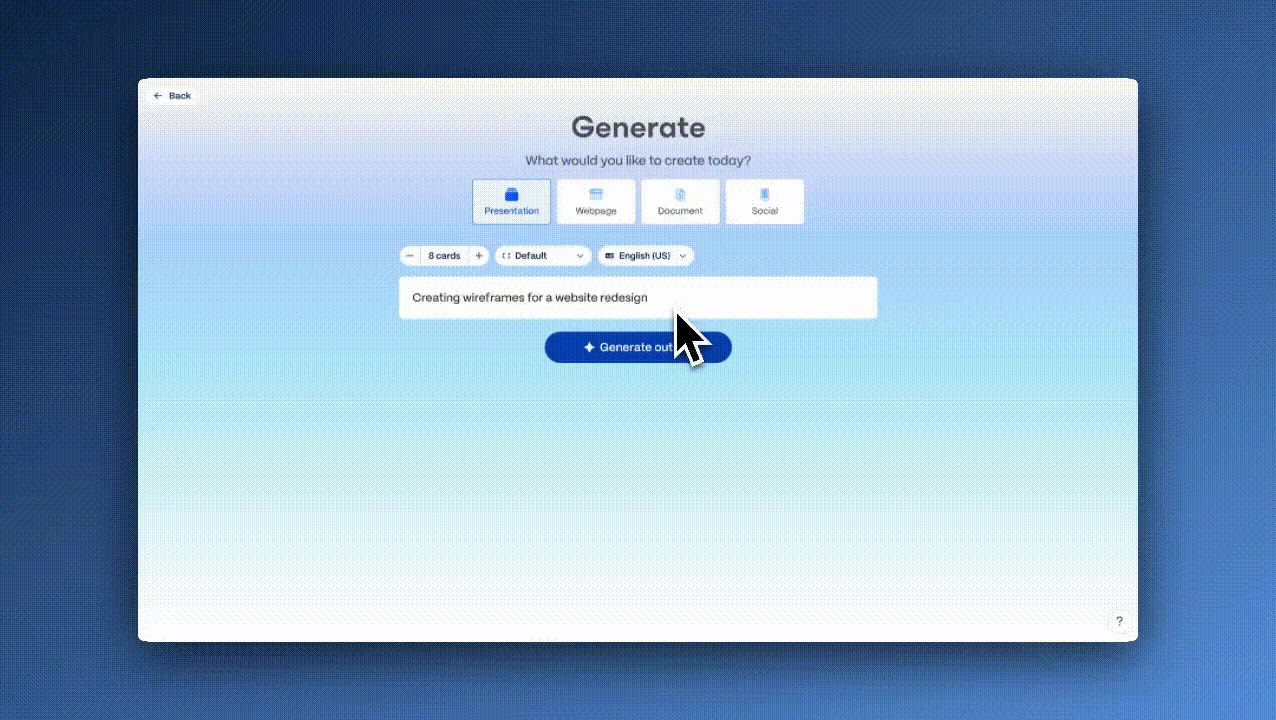
Presentation tools differ in creation mode, brand asset integration, file conversion scope, and pricing limits, which affect output quality and processing speed. Selecting the right tool based on user environment and organizational security policies reduces rework risk.
| Comparison item | Canva | Gamma | PowerPoint (Copilot) |
|---|---|---|---|
| Creation mode | Text prompt and design template based | Generate, Paste, Import in three modes | Word document integration and text prompt |
| Brand asset integration | Brand kit settings (1 on Free, 5 on Pro) | Custom theme and font upload | Corporate Template and Organization Asset Library |
| File conversion support | Export to image, video, PDF; PPTX for presentations only | Export to PPTX, PDF, and publish as webpage | Works on .ppt and .pptx files; one Word file as reference (PDF and encrypted files with work Copilot) |
| Key limits and exceptions | Premium element restrictions per plan | 400 credits at sign-up and up to 10 slides per prompt on Free; Pro allows multi-slide editing | Single Word reference limit; Rewrite unavailable outside text boxes |
Choosing a tool by working environment
Use Canva when visual polish and media editing are the priority for presentation materials. After registering brand-specific fonts and color palettes in the brand kit, marketing and social media assets can be produced quickly.
Use Gamma when only an outline or rough plan exists and rapid slide assembly is required. Paste mode accepts a summarized text, and AI automatically arranges content into card-style slides, shortening initial structure time.
Use PowerPoint when internal data security policies must be enforced or when slides must be generated directly from Word documents. Microsoft 365 security policies apply, and encrypted files retain original structure during conversion to slides.
Subscription and payment path verification checklist
When subscribing to Canva Pro, verify whether the billing cycle changes when converting an account from personal to team. Mobile app payments may apply different renewal dates than web payments, so check the payment management menu for auto-renewal settings.
For Gamma free accounts, confirm how AI credits are deducted. Credits are consumed during card generation and bulk edits, and team member additions alter individual credit consumption rates.
For PowerPoint Copilot licenses, ensure users log in with the Microsoft 365 account designated by the organization administrator to activate the feature. Personal Copilot Pro plans and enterprise Microsoft Copilot licenses differ in the number of supported Word references and PDF support scope.
How to create slides from text in Gamma
- Access the Gamma website and click the Create New AI button in the top-left corner of the home screen.
- In the creation mode selection screen, choose the Paste option to open the existing structured text input field.
- Paste the prepared planning text into the input field, then apply the custom color and font theme from the theme settings at the bottom.
- Select either Don't add images or Image placeholders in the generation options, then click Generate to render the slides.
- After completion, click Export in the top-right corner of the slide editor and choose Export to PowerPoint (.pptx) to save the result.
Diagnosing slide creation failures and recovery actions
If the PowerPoint Copilot ribbon button is grayed out or inactive, first check that you are signed in with a licensed account and that you are online. Per Microsoft's FAQ, Copilot works with both .ppt and .pptx files, so converting the file format is not the fix.
If the PowerPoint text box Rewrite function does not operate, confirm that the selected element is a text box. Rewrite does not trigger on shapes, text inside shapes, or when multiple text boxes are selected simultaneously; split text boxes and edit individually.
When importing an original file in Gamma causes formatting corruption, inspect paragraph structure in the attached file. Documents with complex tables or numerous images should first use Paste mode for text conversion, then rebuild slide layouts.
If limitations from personal accounts or file formats persist, upgrade to a paid plan or contact official support channels. For PDF references and secure file handling in PowerPoint Copilot, switch to an enterprise Microsoft Copilot license.
If the ribbon remains inactive, submit the error state and app version to the Microsoft support center at support.microsoft.com. For Gamma multi-slide editing limits, upgrade to Pro or request assistance via the bottom-right inquiry menu.
Revision history · 2026-09-24
This article was revised against the provider’s official documentation. Korean note
Sources
support.microsoft.com — Frequently asked questions about Copilot in PowerPoint (2026-08-26)
help.gamma.app — Introduction to the Gamma dashboard (2026-08-26)
help.gamma.app — How do I create a new presentation, document or webpage in Gamma? (2026-08-26)
support.microsoft.com — Frequently asked questions about Copilot in PowerPoint (2026-09-24)
canva.com — Canva 요금제 (2026-09-27)
gamma.app — Gamma 요금제 (2026-09-27)
Open provider document