Practice Job Interview Questions with ChatGPT: Setup and Prompts
Enter a job posting and role details into ChatGPT, apply a tailored interviewer prompt that generates follow-up questions, then run a text or voice.
 OpenAI
- Category
- AI for everyday life
- Official sources
- 7
- Read time
- 5 min
- Last checked
- 2026.08.29
Prepare Job Details and Verify Mobile Voice Access
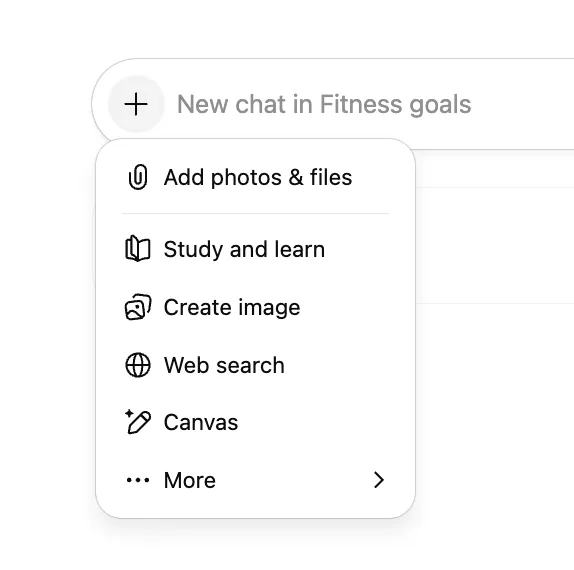
To practice interviews with ChatGPT, secure the target company's job posting, your submitted cover letter, and the job description (JD) in advance. Insufficient input data produces only generic, formulaic questions, so prepare text data that includes the company's core competencies. For voice-interface practice on the mobile app, verify the latest app version and microphone permission status beforehand.
Practice environment conditions and configuration criteria by service status on web browser and mobile app are as follows.
| Setting | Web Browser (chatgpt.com) | Mobile App (iOS/Android) |
|---|---|---|
| Primary Input Method | Text input and file upload | Voice conversation and text input |
| Recommended Use Stage | Prompt entry and answer analysis | Real-time voice interview simulation |
| Required Permissions | Web browser account login | Microphone access approval |
| File Attachment Support | Job posting PDF and text files | Photo capture and file selection |
For specialized technical or experienced roles, include a text summary of existing project experience to generate realistic follow-up questions. For entry-level applicants, write the instruction prompt focusing on the job posting's preferred qualifications and required criteria.
Interviewer Prompt Ready to Copy and Use
Open the chat window and enter the instruction and conditions that assign the interviewer role. Paste the prompt below directly into the input field and start the conversation.
Replace the company name, role, and your cover letter content in the prompt format below, then send.
[Interviewer Role Assignment Prompt] You are a hiring interviewer for the [applied role] at [company name]. Conduct a real interview based on the [job posting content] and [cover letter] I provide. Ask one question at a time; after my answer, evaluate its validity and continue with a follow-up question. Include one pressure question and proceed with five questions in sequence.
[Submitted Materials]
- Applied Role: [e.g., Backend Developer / Marketing Planning]
- Key Experience and Strengths: [Summary of 2-3 core experiences]
Five-Step Process from Question Generation to Answer Review
Actual practice proceeds sequentially from role assignment to feedback collection. Clear input at each step yields precise feedback.
- Access chatgpt.com, log in, click the file attachment icon at the bottom of the chat window, and upload the job posting or cover letter text.
- Paste the interviewer role assignment prompt written above into the input field and request the first question.
- When ChatGPT outputs the first question, answer as in a real interview by typing text or pressing the headphone icon in the app to respond by voice.
- After submitting your answer, review the feedback and linked follow-up question from ChatGPT, then write your second answer.
- After all five questions are complete, enter "Summarize model answers and improvement points for all answers in a table" in the chat window to review the evaluation results.
Interview Answer Evaluation and Final Review Criteria
After the simulation ends, assess whether the generated answer review is useful for real interviews. Check not for grammatical corrections but for whether job competencies are demonstrated.
Essential criteria to cross-check when reviewing interview feedback are as follows.
- Verify that the answer structure follows a concrete situation, action, result framework
- Confirm that core competency keywords for the applied role appear clearly in the answer
- Cross-check that digressions or unnecessary descriptions deviating from the question intent are removed
- Validate that the pressure question receives a logical defense and expression of improvement intent
If the output is vague, specify the question number and request feedback again. If feedback lacks technical terminology or job behavior indicators, send an additional refinement prompt.
Handling Interruptions and Alternative Tools
ChatGPT may output multiple questions at once or forget the interviewer role and give generic answers. If context is lost, click the Edit button at the top of the chat window to modify the initial role assignment prompt or start a new conversation.
If response length causes session termination or an error message appears, instruct "Rewrite only the feedback for the previous question briefly." If voice recognition errors repeat during mobile voice conversation, switch to text input to write answers.
If corporate security policy prevents entering actual cover letters or confidential project details, input fictional project names and approximate figures. If sustaining a real-time voice practice environment is difficult, record your voice with an audio recording app first, then use speech-to-text to feed the transcript into ChatGPT as an alternative path.
Sources checked
openai.com — Introducing ChatGPT - OpenAI (2026-08-28)
openai.com — ChatGPT can now see, hear, and speak - OpenAI (2026-08-28)
learn.chatgpt.com — Use ChatGPT | ChatGPT Learn (2026-08-28)
learn.chatgpt.com — ChatGPT desktop app | ChatGPT Learn (2026-08-28)
developers.openai.com — ChatGPT | OpenAI Developers (2026-08-28)
chatx.ai — ChatX - ChatGPT, Gemini, Claude, DeepSeek, Grok (2026-08-28)
en.wikipedia.org — ChatGPT - Wikipedia (2026-08-28)
Open provider document