Fix Claude Usage Limit Exceeded Error
Diagnose the cause of the 5-hour session limit message and unblock access by enabling Usage credits or starting a new chat.
- Category
- Troubleshooting
- Official sources
- 6
- Read time
- 5 min
- Last checked
- 2026.09.24
Claude Error Message Types and Diagnosis Table
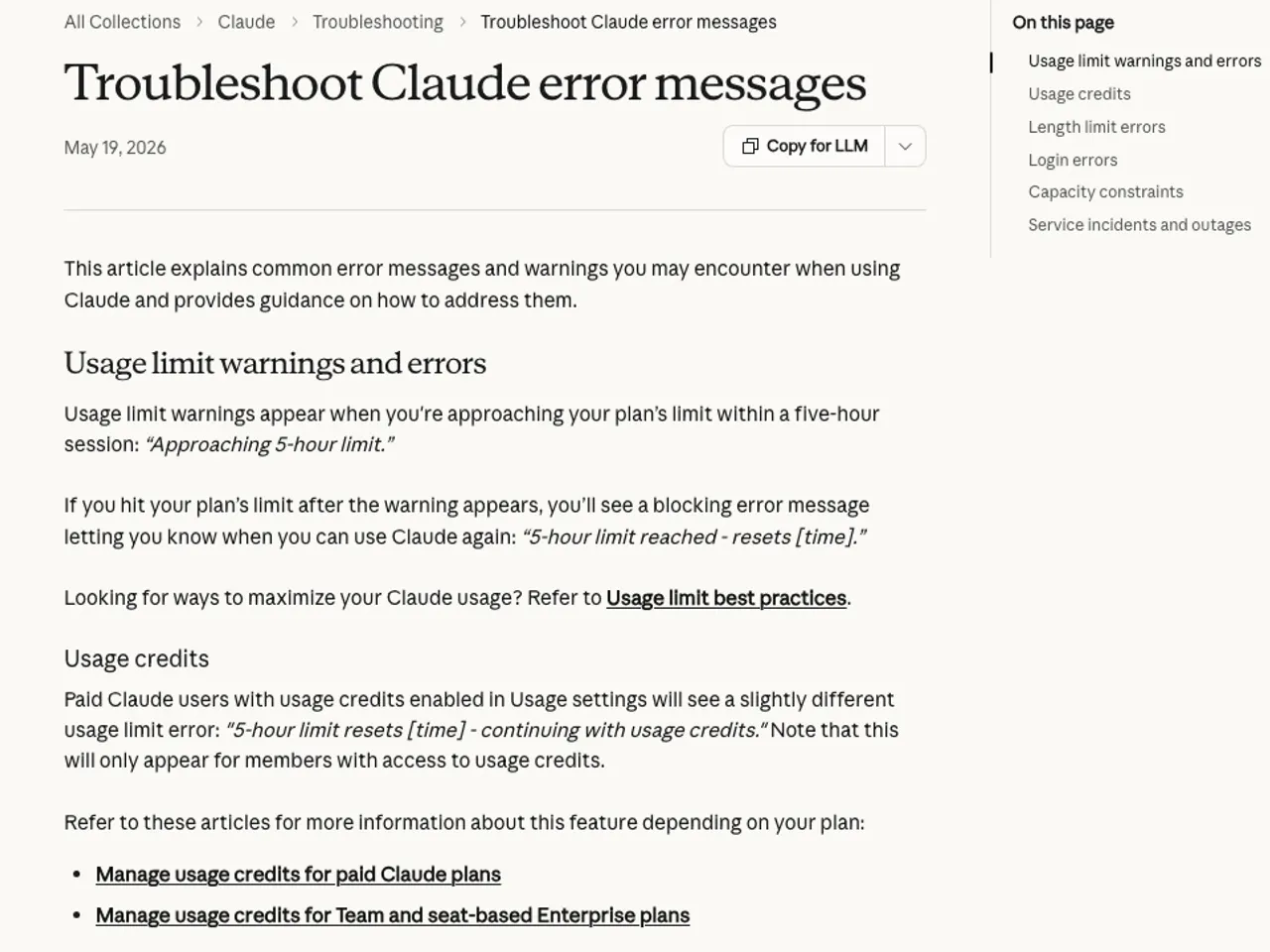
Usage limit exceeded messages that appear during Claude usage occur when the account's 5-hour session budget is depleted. The system displays a warning before the limit is reached and blocks service access once exceeded. Beyond waiting for the 5-hour session reset, the block can be cleared by purchasing additional credits or separating the conversation.
Use the diagnosis table below to identify the cause of the error message currently displayed and determine the correct action.
| Error Message and Screen State | Cause | Primary Action | Notes |
|---|---|---|---|
| Approaching 5-hour limit | Approaching 5-hour session limit threshold | End current chat and start new window | Pre-warning stage |
| 5-hour limit reached - resets [time] | 5-hour session message/token limit exceeded | Wait for reset time or use Usage credits | Blocked state |
| 5-hour limit resets [time] - continuing with usage credits | Using additional credits after standard limit exceeded | Check Usage credits balance and monthly limit | Paid plans only |
| Your message will exceed the length limit for this chat | Single conversation input token capacity exceeded | Reduce attachment size or separate conversation | Context limit |
Difference Between 5-Hour Session Limit and Context Limit
Claude usage limits are divided into usage limits, which restrict the total volume of data sent and received over a set period, and length limits, which restrict the amount of information processable in a single conversation window. The two limits differ in application method and release procedure.
Usage limits are deducted across all products in use, including the claude.ai web interface, Claude desktop app, and Claude Code. Continuing a conversation with accumulated long documents or chat history causes token consumption per request to spike, rapidly depleting the 5-hour limit.
In contrast, length limits trigger when the model's context window size (200k, 500k or 1M tokens depending on the model; the newest models on paid plans support 1M) is exceeded, and are resolved by reducing conversation history or starting a new chat.
5-Step Procedure to Unblock and Recover from Errors
These are the execution steps to restore normal operation by leveraging a paid billing account or cleaning up the conversation environment when a 5-hour limit exceeded message appears.
- While logged into the account, click the profile icon in the top right and navigate to Settings.
- Select Usage from the left sidebar to view the remaining time in the current 5-hour session and the Usage credits section.
- Click the Enable button in the Usage credits section and enter credit card payment details.
- Click Adjust limit to set a monthly spending cap, then click Add funds to add the amount you want.
- Do not return to the blocked chat window; instead, click Start new chat on the main screen to begin a new conversation.
Verify Normal Operation and Monitor
After completing the credit recharge and chat separation steps, verify the error is resolved using the screen elements below.
- Confirm that the Usage credits balance in Settings > Usage displays correctly and shows an active status.
- Confirm that the 5-hour block warning text has disappeared from below the input field in the new chat window.
- Send a message and verify the response generates normally, then cross-check that the credit deduction appears in the real-time usage graph in Settings > Usage.
Alternative Paths and Support Requests for System Emergencies
If the error persists after purchasing paid credits or a payment error occurs, check the alternative path for your account type.
For organization accounts, first check the policy settings in the admin console.
For personal paid plans (Pro, Max 5x, Max 20x), capture the recharge history and error screen from Settings > Usage and submit an inquiry to the Anthropic support center.
During service delays caused by temporary system overload, first check operational status at status.claude.com.
Frequently Asked Exception Questions
Can Subscription Accounts Purchased via Mobile App Use Usage Credits on the Web?
Pro or Max plans purchased through the Play Store or App Store cannot purchase Usage credits within the mobile app. Access the claude.ai web version, register a payment method, and configure Usage credits to use them.
Does Enabling Code Execution Reduce Limit Consumption Speed?
Paid plan users with the code execution feature enabled have an automatic summarization function that compresses context in long conversations. However, the summarization process consumes additional tokens, so total session token usage may actually increase.
Revision history · 2026-09-24
This article was revised against the provider’s official documentation. Korean note
Sources
claude.com — Claude pricing (2026-09-16)
support.claude.com — Claude usage and length limits (2026-09-16)
support.claude.com — Troubleshoot Claude error messages (2026-09-16)
support.claude.com — Manage usage credits (2026-09-16)
support.claude.com — Install Claude Desktop | Claude Help Center (2026-09-16)
support.claude.com — Log in to your Claude account | Claude Help Center (2026-09-16)
Open provider document