Remove Wix Free Plan Ads and Connect Custom Domain
Learn which Wix plans remove the top banner ad, enable custom domain connection, and include a one-year free domain coupon with annual billing.
- Category
- Photo, video & ads
- Official sources
- 7
- Read time
- 5 min
- Last checked
- 2026.08.29
Wix Plan Comparison: Ad Removal and Domain Provision
The Wix free plan lets you build a site at no cost, but it shows a Wix-branded banner at the top and does not allow custom domain connection. A paid upgrade is required for independent branding and professional operation.
The following table compares key provisions and restrictions by plan based on official service criteria.
| Comparison Item | Free Plan | Premium Paid Plans | Business/Ecommerce Plans |
|---|---|---|---|
| Wix Ad Display | Top banner shown | Fully removed | Fully removed |
| Custom Domain Connection | Not possible (wixsite.com only) | Possible (1-year free coupon included) | Possible (1-year free coupon included) |
| Basic Hosting & Security | Provided (multi-cloud, SSL) | Provided (multi-cloud, SSL) | Provided (multi-cloud, SSL) |
| Online PG Payment Methods | Not available | Not available or limited | Dedicated PG payment integration available |
Paid Plan Selection by Site Purpose
If the primary purpose is a personal portfolio, keep the free plan to publish at no cost. The Wix address remains and the top banner ad stays visible.
If the goal is to build brand credibility, connect a personal domain, and remove ads, upgrade to a Premium paid plan. An annual subscription provides a first-year custom domain free coupon.
If you operate an online store and need payment processing revenue, choose a Business/Ecommerce plan. PG payment integration is included along with the same ad removal and custom domain options.
Key Conditions Often Missed at Upgrade Payment and Renewal
The one-year free domain coupon is granted only when a paid Premium plan is purchased on an annual or longer term, and only once at initial purchase. Monthly billing does not include the domain coupon, so domain purchase costs are billed separately.
The free domain coupon auto-renews as a paid domain after one year, charging the registered payment method annually for domain maintenance. To avoid renewal, disable auto-renewal in the domain management menu of the dashboard before the renewal date.
Copyright and commercial usage rights for all images and text created on free or paid plans belong to the creator. However, using third-party trademarks or images that infringe intellectual property may restrict site publication, so verify beforehand.
Wix Custom Domain Connection and Setup: 5-Step Procedure
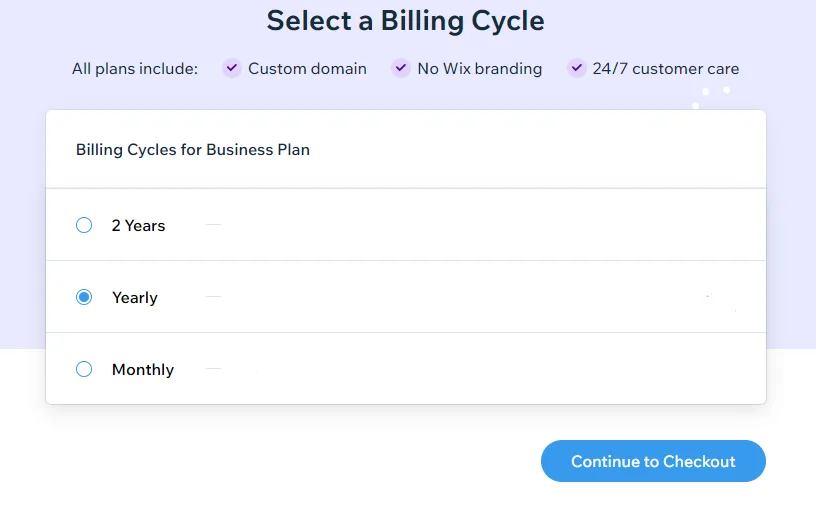
This is the actual workflow to connect a domain and reflect it on the site from the Wix account dashboard.
- Log in to Wix account and access My Sites dashboard: Go to Wix.com, log in, and navigate to the dashboard of the site you want to manage.
- Complete Premium plan upgrade: Click the "Upgrade" button at the top of the dashboard, select an annual paid plan, and finish payment.
- Navigate to domain management menu: In the left sidebar of the dashboard, choose "Settings" then click "Connect Custom Domain."
- Enter domain address and configure DNS: Enter an owned domain or purchase a new one, then enter the Wix nameserver (NS) addresses provided into the domain registrar's DNS settings.
- Republish site and verify final reflection: Click "Publish" at the top right of the Wix Editor, then confirm custom domain access and Wix top banner removal in the browser address bar.
Diagnosis Table for Connection Errors and Domain Non-Reflection
If the domain is connected but the site does not load correctly or ads persist, use the following table to identify causes and take action.
| Error Situation & Symptom | Primary Cause | Verification Method | Resolution Action |
|---|---|---|---|
| "Not connected" warning displayed | Nameserver (NS) entry error | Check domain registrar DNS management page | Change exactly to Wix-provided NS1/NS2 addresses |
| Ad banner still shows after paid upgrade | Purchased plan not assigned | Check "Plan Assignment" status in Wix dashboard | Assign purchased plan to the target site in dashboard |
| SSL security warning on domain access | SSL certificate issuance in progress | Check HTTPS security indicator in browser address bar | Wait up to 24 hours after DNS propagation for auto-issuance |
| Auto-redirect to previous Wix address | Editor republish not performed | Check "Publish" button status in Wix Editor | Click "Publish" in Editor and save settings |
Final Verification Criteria for Successful Domain Connection and Ad Removal
After setup, cross-check the following items to confirm the site has transitioned correctly.
- Verify that entering the custom domain (e.g., mybrand.com) in the browser address bar loads the site normally.
- Verify that the padlock icon (HTTPS secure connection) appears correctly on the left side of the address bar.
- Verify that the "This website was created with Wix.com" top banner ad has completely disappeared.
- Verify that custom domain connection and ad removal persist identically on mobile browser access.
Undisclosed Pricing Information and Alternatives
Exact monthly/annual prices for individual plans vary by country, payment currency, and promotional status, and are posted separately in official documentation. Real-time payment amounts must be checked directly on the pricing page after login.
If upgrade cost is a burden and only a simple single-page presence is needed, consider keeping the free plan and using an external domain forwarding service as an alternative. Note that the Wix top banner ad will not be removed in this case, and a Premium plan upgrade remains essential for a complete brand site.
For payment errors or DNS setup failures causing reflection delays, use the Wix customer support chatbot or request assistance from a customer care specialist.
Sources checked
wix.com — Wix AI website builder (2026-08-29)
wix.com — Website Builder - Create a Free Website In Minutes | Wix.com (2026-08-29)
wix.com — Website Design | Design Websites That Set You Apart | Wix (2026-08-29)
support.wix.com — Logging in to Your Wix Account | Help Center | Wix.com (2026-08-29)
es.wix.com — Crear Página Web gratis | Creador de Páginas Web | Wix.com (2026-08-29)
en.wikipedia.org — Wix.com - Wikipedia (2026-08-29)
wixfilters.com — WIX Filter Finder (2026-08-29)
Open provider document