ChatGPT Free Plan Limits and Upgrade Steps
Learn ChatGPT Free plan limits for GPT-5.6 Luna and 27K context, plus 5 upgrade steps when limits are exceeded.
 OpenAI
- Category
- Pricing
- Official sources
- 8
- Read time
- 5 min
- Last checked
- 2026.09.05
ChatGPT Plan Model and Input Limits
The ChatGPT Free plan provides basic text chat with limited voice, image, and memory features. Paid plans such as Plus and Pro support expanded context windows and advanced reasoning models, resulting in different processing capacities.
| Plan | Cost | Key Supported Models | Instant Total Context Window | Instant Input Max | Reasoning Context Window |
|---|---|---|---|---|---|
| Free | $0 | GPT-5.6 Luna, GPT-5 Thinking Mini | 27K | About 12 pages | Varies |
| Go | Not disclosed in official docs | GPT-5.6 Luna, GPT-5 Thinking Mini | 54K | About 40 pages | 256K |
| Plus | Official pricing listed separately | GPT-5.6 Sol, GPT-5.6 Terra | 54K | About 40 pages | 256K |
| Pro | Official pricing listed separately | GPT-5.6 Sol (Unlimited*), GPT-6 Astra | 128K | About 250 pages | 400K |
Routine short conversations and simple text tasks are fully handled by the Free plan. For large document analysis exceeding about 12 pages or tasks requiring deep reasoning, a higher tier is required.
Plan Selection by Use Case
For routine short Q&A and brief writing, stay on the Free plan. The Free plan supports basic chat and limited desktop work via web and mobile apps, allowing work without extra cost.
Switch to Plus for long document analysis of about 40 pages or extended reasoning tasks based on GPT-5.6 Sol. Plus enables integrated ChatGPT Work features across desktop, web, and mobile.
Full-time developers and professional data analysts needing large codebase analysis or high-performance reasoning up to 680 pages should choose Pro. Pro provides the maximum Codex limit and a 400K reasoning context window for continuous data processing.
Subscription Sign-up and Abuse Policy
Purchases made through mobile apps (iOS, Android) follow the respective app store policies for billing and refunds, so verify the sign-up path in advance. Only subscriptions purchased directly via web browser can be managed centrally in OpenAI account settings.
Even plans advertising unlimited text chat are subject to abuse limits. Excessive requests in a short period may throttle response speed or temporarily restrict access to higher-tier reasoning models.
Switch Plans and Verify Payment in 5 Steps
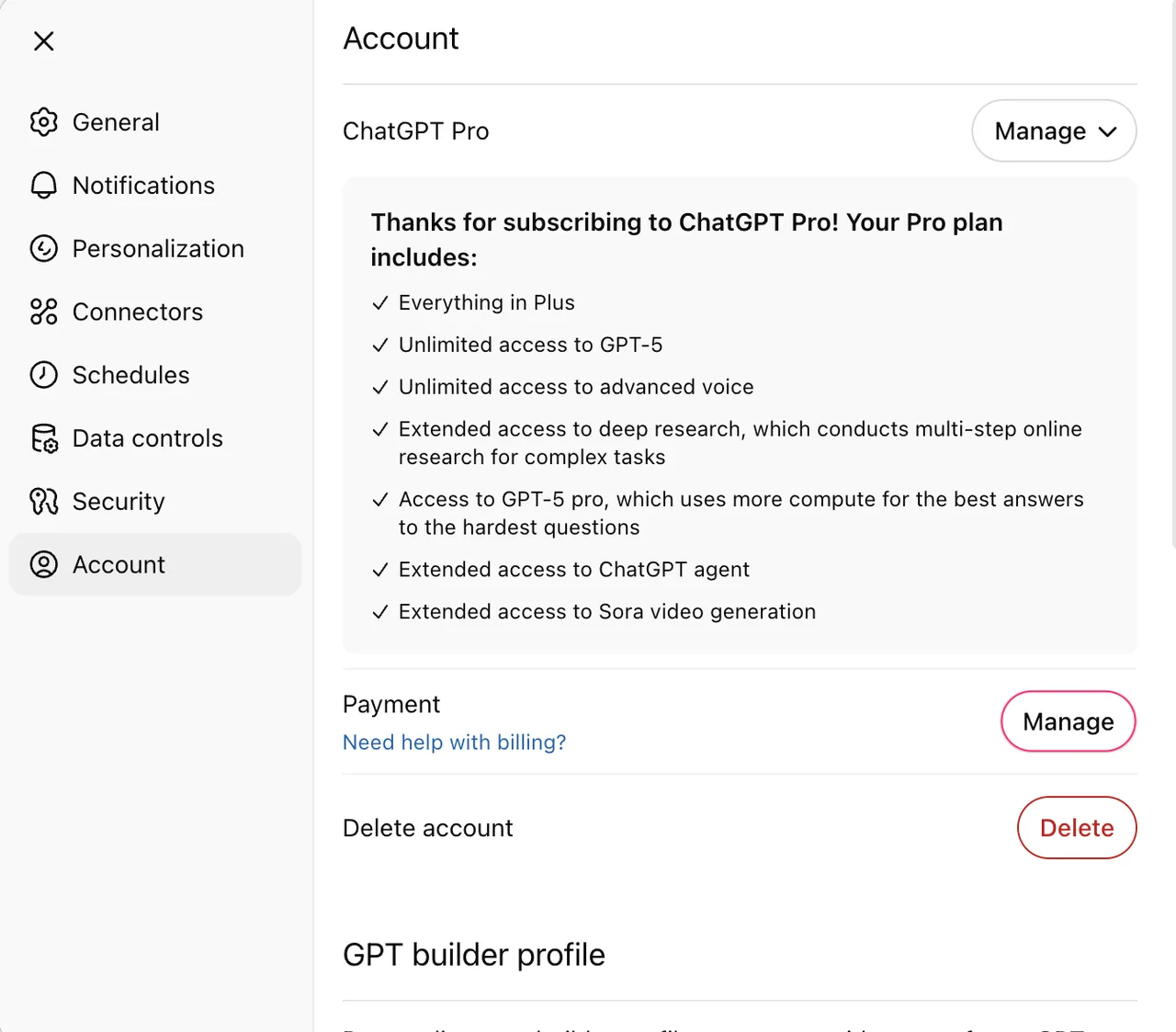
The full sequence to switch plans for the needed capacity and verify higher-tier model activation is as follows.
- Open chatgpt.com in a web browser and sign in to your account.
- Click the profile icon in the lower left and select 'Upgrade Plan'.
- In the plan comparison view, click 'Subscribe' under the desired plan (Go, Plus, Pro).
- Enter card number, expiry, CVC, and billing address accurately in the payment window and confirm payment.
- Go to the 'Manage Subscription' tab in account settings to verify the active plan name and next renewal date.
After payment completes, the upgrade is confirmed when GPT-5.6 Sol or GPT-6 Astra appears in the model selector dropdown on the main chat screen.
Diagnose and Resolve Access Errors
When request errors occur or model selection is restricted, diagnose the cause using the criteria below and take action.
| Symptom & Error Message | Cause Criteria | Recovery Procedure | Normal State Confirmation |
|---|---|---|---|
| You've reached your message limit | Daily or hourly quota exceeded | Wait until quota resets or upgrade to a higher plan. | Send button enabled and messages send normally |
| Model unavailable / High demand | Insufficient system bandwidth and reduced server availability | Switch to the default model (GPT-5.6 Luna) in the model selector. | Default model responds normally |
| Payment Failed / Subscription Paused | Card limit exceeded or payment method authorization failed | Re-enter credit card info in Settings -> Account -> Payment Management. | Plan status changes to Active |
| Access Denied / Abuse Filter Triggered | Abuse prevention auto-filter triggered | Stop further requests for 30 minutes and wait for auto-release. | Chat session resumes normally |
If the subscription status does not update or payment errors persist after recovery steps, contact official support via the 'Help & Support' menu in account settings with the payment receipt number.
Alternatives When Limits Are Reached and Price Check
If work stops due to Free plan limit exhaustion and a plan purchase is not possible, use the OpenAI API platform (developers.openai.com) as an alternative. API usage charges only for tokens consumed, allowing urgent analysis without a fixed monthly subscription.
Regional variable pricing and latest policy changes not listed on the official site are verified in real time on the OpenAI pricing page (https://openai.com/chatgpt/pricing/). Organizations needing an enterprise Business plan should verify security and group account management terms via the official support page.
Sources checked
openai.com — ChatGPT pricing (2026-09-05)
openai.com — Introducing ChatGPT - OpenAI (2026-09-05)
openai.com — ChatGPT can now see, hear, and speak - OpenAI (2026-09-05)
learn.chatgpt.com — Use ChatGPT | ChatGPT Learn (2026-09-05)
learn.chatgpt.com — ChatGPT desktop app | ChatGPT Learn (2026-09-05)
developers.openai.com — ChatGPT | OpenAI Developers (2026-09-05)
chatx.ai — ChatX - ChatGPT, Gemini, Claude, DeepSeek, Grok (2026-09-05)
en.wikipedia.org — ChatGPT - Wikipedia (2026-09-05)
Open provider document