Calculate Gemini API Costs After Free-Tier Limits
The free tier of the Gemini API does not charge fees but returns a 429 RESOURCE_EXHAUSTED error when limits are exceeded.
- Category
- Calculator
- Official sources
- 2
- Read time
- 8 min
- Last checked
- 2026.09.24
Free tier limits trigger errors, not charges
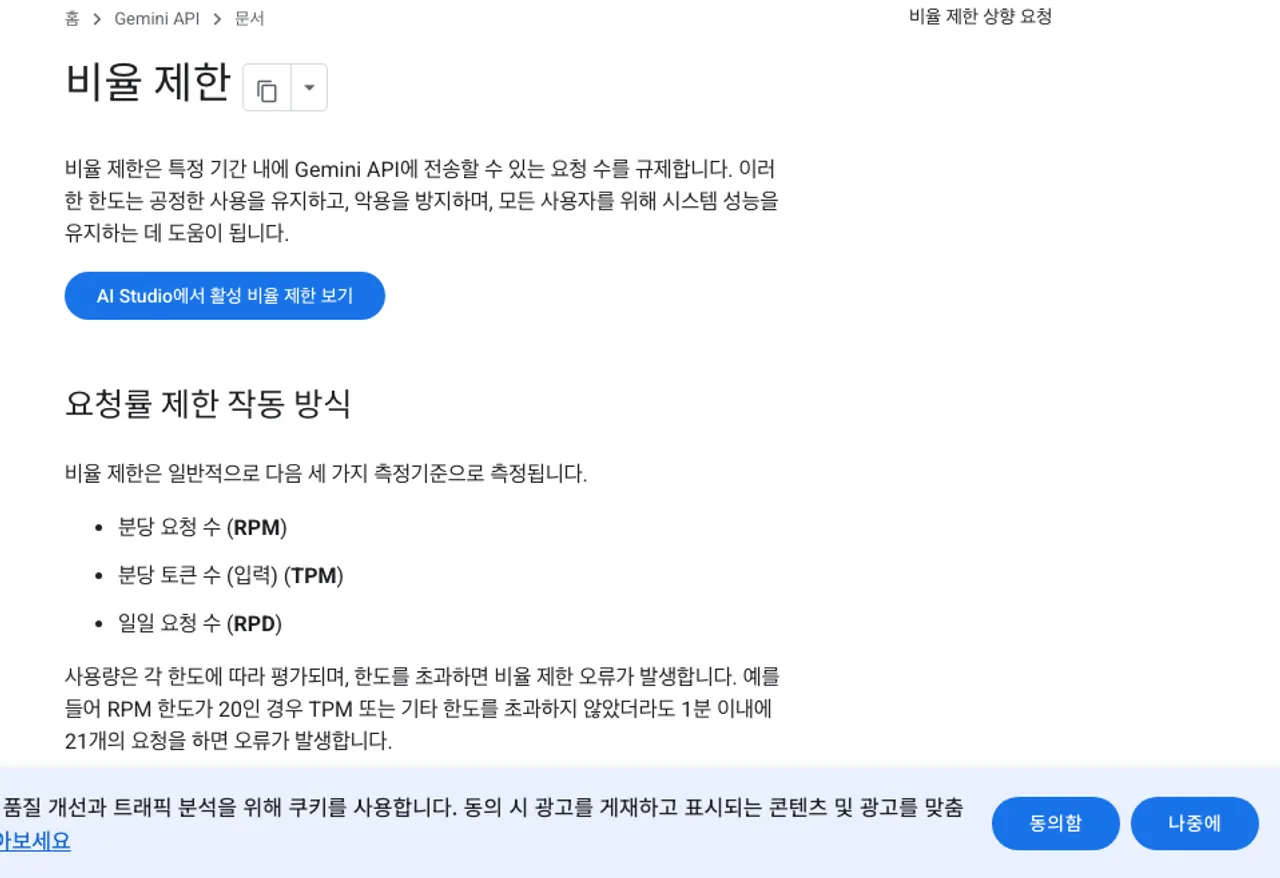
The free tier of the Gemini API does not charge for input or output tokens. When the free limit is exceeded, the first symptom is a 429 RESOURCE_EXHAUSTED error, not a billing charge. This error indicates that either the per-minute or daily request limit has been reached, not a balance issue.
The exact limits for the free tier vary by model and time, so the current values must be verified directly in the Google AI Studio billing limits screen. External documents that cite fixed numbers may not reflect current operating conditions.
The free tier includes an additional condition: data exchanged through the free tier may be used for product improvement, whereas data processed under paid tiers is not. If internal documents or customer data are involved, even with low request volumes, selecting a paid tier is advisable.
Tiers are upgraded automatically based on payment account and cumulative spending
Tier upgrades are not applied via application but occur automatically when conditions are met. Tier 1 is activated by connecting an active payment account. Higher tiers require both cumulative spending and elapsed days.
| Tier | Conditions | Spending limit |
|---|---|---|
| Free | Active project or free trial | Not applicable |
| Tier 1 | Payment account connected | 250 USD |
| Tier 2 | 100 USD spent and 3 days elapsed | 2,000 USD |
| Tier 3 | 1,000 USD spent and 30 days elapsed | 20,000 USD or more |
There are also per-10-minute spending speed limits. Tier 1 has a 10 USD limit, Tier 2 a 50 USD limit, and Tier 3 a 200 USD limit. Exceeding these limits blocks requests even if the overall spending limit remains available. Batch operations with high request density may hit these speed limits first.
Calculate actual costs using model-specific token pricing
Costs are calculated by multiplying the model’s price per 1M tokens by the actual input and output tokens used. Input and output prices differ, with output tokens significantly more expensive. Long-form responses therefore increase costs more rapidly than expected.
| Model | Input per 1M tokens | Output per 1M tokens |
|---|---|---|
| Gemini 2.5 Flash-Lite | 0.10 USD | 0.40 USD |
| Gemini 2.5 Flash | 0.30 USD | 2.50 USD |
| Gemini 3.5 Flash-Lite | 0.30 USD | 2.50 USD |
| Gemini 2.5 Pro | 1.25 USD | 10.00 USD |
| Gemini 3.5 Flash | 1.50 USD | 9.00 USD |
Lower-cost models reduce expenses for the same workload but may produce lower-quality responses for tasks requiring extended reasoning.
- Extract the number of requests and average input and output tokens per request from logs for the past week, then convert to monthly totals.
- Divide the total input tokens by 1M and multiply by the input price from the table to calculate input costs.
- Repeat the same process for output tokens using the output price, then sum both values and compare the result with the usage screen in the console.
- If the calculated cost exceeds the Tier 1 spending limit of 250 USD, check the conditions for upgrading to a higher tier in the payment account settings.
- Run the same input through both a higher-cost and lower-cost model to compare whether the quality difference justifies the cost difference.
For example, a workload using 20M input tokens and 2M output tokens would cost 11 USD with Gemini 2.5 Flash (6 USD input + 5 USD output) and 45 USD with Gemini 2.5 Pro (25 USD input + 20 USD output).
The fourfold cost difference demonstrates that model selection often matters more than tier selection.
Actions to take when 429 errors recur
When a 429 error appears, first wait and retry. If errors persist, reduce the request frequency. If the free tier continues to block requests, the formal path is to connect a payment account and upgrade to Tier 1. If limits are still reached under a paid tier, a limit increase can be requested.
Immediate repeated retries worsen the situation, so adjust the code to implement exponential backoff with increasing wait times. If cost is a concern, reducing output length and switching to a lower-cost model often yields greater savings than upgrading tiers, since output token prices are several times higher than input prices.
Verify that calculations are correct
After the first billing cycle, compare the actual invoice with the calculated cost. If the actual charge significantly exceeds the calculation, logs should be checked for duplicate requests caused by failed retries consuming tokens multiple times.
Under normal operation, the token totals in the console usage screen should closely match the sum in internal logs. If the values diverge significantly, verify whether other projects or tools are using the same API key. Store API keys as environment variables, exclude them from repositories, and reissue keys immediately if exposure is suspected.
If the free tier cannot handle the workload and paid tiers are not feasible, alternative approaches exist. Batch processing of requests or caching responses to eliminate repeated requests for the same queries are viable workarounds.
Revision history · 2026-09-24
This article was revised against the provider’s official documentation. Korean note
Sources
Google AI for Developers — Gemini API pricing (2026-09-24)
Google AI for Developers — Gemini API rate limits (2026-09-24)
Open provider document