Compare Wix vs Framer AI for website building with ChatGPT
Use ChatGPT or Gemini for planning and text, then connect Wix or Framer AI for domain hosting and refined design.
 FramerO
 OpenAIGGemini
- Category
- Build with AI
- Official sources
- 10
- Read time
- 5 min
- Last checked
- 2026.08.31
AI website builder features and pricing comparison table
To select the right AI tool for website creation, compare the functional scope of conversational models with professional web builders and their plan policies. ChatGPT and Gemini handle idea planning and text structuring, while Wix and Framer provide real-time canvas editing and hosting/publishing environments.
| Service Name | Core AI Creation Features | Free Tier Scope | Paid Plan Starting Price | Data & Modification Rights Limits | Notes |
|---|---|---|---|---|---|
| ChatGPT | Plan drafts and HTML/CSS code generation | Free plan (message limits) | Plus plan: $20/month | No direct web publishing | Text and code prompt only |
| Gemini | Site report and copy generation | Basic service supported | Google AI Plus plan monthly fee | No direct web hosting support | Google ecosystem integration supported |
| Wix | Interactive AI website auto-generation | Free tier includes basic features | Monthly plan policy applies | Template layout control limits | Business solutions auto-included |
| Framer | AI canvas prompt-based generation | Basic features supported | Tiered pricing by plan | AI agent work unit limits | Layout and free editing control |
Each platform shows clear differences in automation level and user control. Use conversational models for text planning and structuring, and select a web builder when direct layout and responsive node control in a design canvas is required.
Three tailored tool How to Choose by workflow type
For initial idea collection and plan drafting only, choose ChatGPT Free or Gemini’s basic plan. Input planning requirements in the chatbot window and finalize page structure and copy text first.
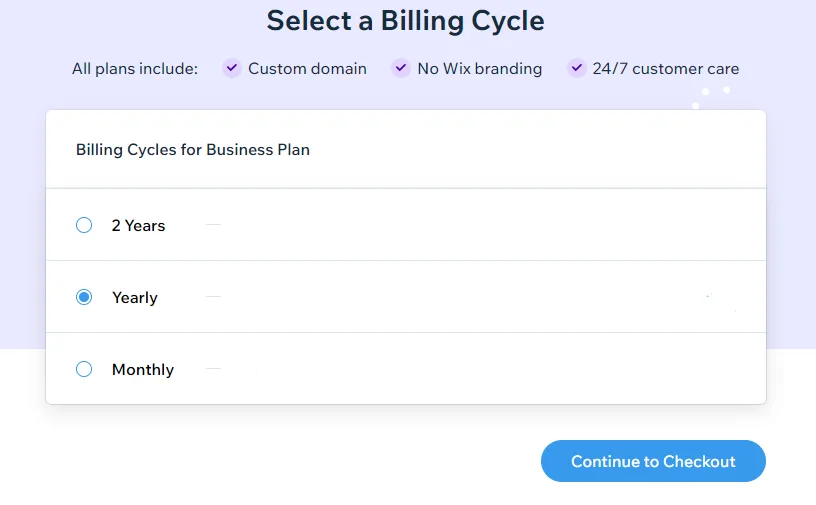
For users without development experience who need form-based data integration and booking features, select the Wix AI website builder. Enter business information in the dialog box to automatically assemble a site with relevant sections and databases.
For advanced responsive design control and external agent integration, choose the Framer AI builder. Use prompt input to create a plan layout, then directly edit Breakpoints and CSS styles in the canvas.
Key limitations often overlooked during tool selection and operation
ChatGPT and Gemini do not provide standalone web hosting, so generated HTML code must be transferred to a separate server or a builder such as Framer. Confirm in advance that code output cannot be directly exposed via a web browser.
Framer AI features impose AI agent credit limits based on account plan. Exceeding the limit halts automated agent creation, requiring manual component manipulation in the Canvas.
Five-step website creation process using ChatGPT and AI web builders
- Access the ChatGPT or Gemini chatbot and enter the site purpose, target audience, and main menu structure in the top dialog box to send as a prompt.
- Review the generated text outline and HTML plan structure, then finalize the top text and bottom section copy for the website homepage.
- Log in to Framer, click ‘Solutions’ > ‘AI website builder’, then enter the Canvas workspace via the ‘Get started for free’ button.
- In the Framer screen’s bottom-center ‘Agent’ dialog box, input the plan text and desired color theme from Step 1 in the format ‘Add a hero section with Haus intro’.
- Confirm the AI Agent’s Desktop (1200px) layout on the canvas, adjust Width, Height, and Radius values in the right property panel, then publish using the top ‘Publish’ button.
Causes of generation failure and diagnostic troubleshooting
If the AI prompt response cuts off midway or layout generation halts, split the prompt into smaller units. Request the main Hero section first, then add subsequent sections in stages instead of requesting the entire site at once.
If generated components in the Framer canvas show broken spacing, check the Position setting in the right Layout panel. Change the attribute from Fixed to Relative or Fit so alignment adjusts smoothly to browser size without breaking.
Alternatives and official escalation paths when tools prove insufficient
When simple AI generation in a web builder cannot implement complex business logic, switch to Framer Enterprise plan or Wix partner support. Integrate an external development agent or contact the official enterprise support team to request dedicated custom settings.
For environments requiring custom backend DB integration or advanced script execution, export the original code from the conversational chatbot and migrate it to an external server or a professional frontend framework. This step moves the project beyond no-code builder limitations into an independent development workflow.
Sources checked
openai.com — ChatGPT pricing (2026-08-31)
one.google.com — Google AI plans (2026-08-31)
framer.com — Framer Agents help (2026-08-31)
framer.com — Framer AI website builder (2026-08-31)
wix.com — Wix AI website builder (2026-08-31)
openai.com — Introducing ChatGPT - OpenAI (2026-08-31)
openai.com — ChatGPT can now see, hear, and speak - OpenAI (2026-08-31)
learn.chatgpt.com — Use ChatGPT | ChatGPT Learn (2026-08-31)
learn.chatgpt.com — ChatGPT desktop app | ChatGPT Learn (2026-08-31)
developers.openai.com — ChatGPT | OpenAI Developers (2026-08-31)
Open provider document