Gemini and Google AI Plans: Free Limits Compared
Compare Gemini and Google AI plans by storage, model access, and the free limits shown in the current account.
- Category
- Pricing
- Official sources
- 2
- Read time
- 8 min
- Last checked
- 2026.09.16
Google One AI plan comparison table
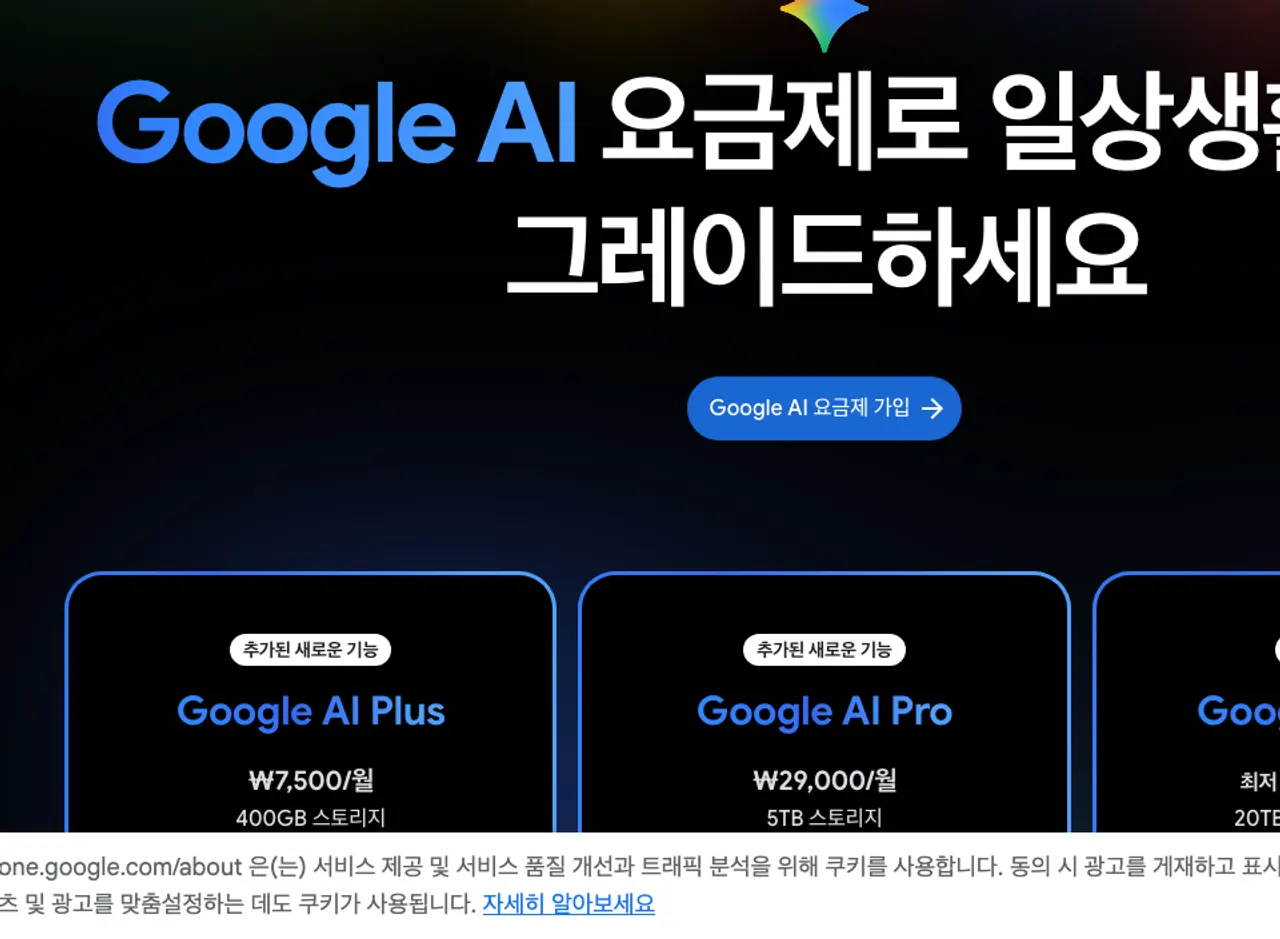
| Category | Google AI Plus | Google AI Pro | Google AI Ultra | Free tier (non-subscriber) |
|---|---|---|---|---|
| Monthly price (KRW) | ₩7,500 a month | ₩29,000 a month | From ₩119,000 a month (5x); ₩300,000 (20x) | Free |
| Gemini model access multiplier | 2× vs. non-subscriber | 4× vs. non-subscriber | 5× (₩119,000) or 20× (₩300,000) vs. non-subscriber | 1× (baseline) |
| Key model access | Gemini 3.1 Pro, Deep Research | Gemini 3.1 Pro, Deep Research, AI Mode, Deep Search, Gemini Spark | All above + Deep Think, Agent, Project Genie | Base model for non-subscribers (model name not shown on the pricing page) |
| Family sharing | Up to 5 members | Up to 5 members | Up to 5 members | Not available |
| Developer benefits | Not included | $10/month Google Cloud credits | $40/month Google Cloud credits | Not included |
| Regional restrictions | 150+ countries | 150+ countries | 150+ countries; YouTube Premium in 40 countries | Worldwide (feature-tiered) |
Selecting a plan by usage tier
Free-tier users get the base model for non-subscribers for text and image generation. Daily request and token limits are not published, so large tasks may be blocked; check the Gemini app's limit notice (refreshes every 5 hours, with a weekly limit) before proceeding.
For personal paid subscriptions, Google AI Plus (400GB, 2× access) enables Gemini features in Gmail, Docs, and Sheets for drafting and editing workflows. Confirm monthly price and renewal cycle at one.google.com before subscribing.
For high-volume or development workflows, Google AI Pro (5TB, 4× access) or Ultra (20TB+, 20× access) unlock Deep Research, AI Mode, and Gemini Spark, plus monthly Cloud credits. Review country-specific feature availability (e.g., US-only AI Inbox, Deep Search, Flow) on the official country list page before deciding.
Store billing and family sharing conditions that are easy to miss
First, the KRW prices on the Korean page may exclude tax, and buying through Google Play or the App Store can change the amount under store policies, so verify the final amount on the payment screen before paying.
Second, family sharing supports up to 5 members, but all members must reside in countries where the plan is offered. If any member’s country is unsupported, sharing is disabled; cross-check each member’s country against the full country list link before subscribing.
Third, cancellation is immediate via the ‘Plan management’ menu in Google One or one.google.com, but refunds for already-billed periods follow Google’s refund policy and may not be prorated. Review refund terms under ‘Compare plans’ in the ‘Hide plan benefits’ section before canceling.
How to change plans and verify changes
- Navigate to one.google.com/about/google-ai-plans/ in a browser and click the ‘Subscribe to Plus’, ‘Subscribe to Pro’, or ‘Subscribe to Ultra’ button for the desired plan.
- Log in with the Google account to be used for the subscription, select a payment method (credit card, debit card, Google Play balance, etc.), and click ‘Subscribe’.
- On the payment confirmation screen, click ‘Go to Google One home’ and confirm that storage capacity has updated to 400GB, 5TB, or 20TB+.
- Visit Gemini or gemini.google.com, go to Settings → My plan, and verify that the current subscription tier (Plus/Pro/Ultra) and remaining token/request limits are displayed.
- In Gmail, Docs, or Sheets, click the Gemini sidebar icon and test activation by entering a prompt such as ‘Summarize this email’ to confirm that Correction Help, Draft Creation, and AI Inbox (US accounts only) are enabled.
Where to check local prices and country-specific features
Monthly KRW price, annual contract discounts, free trial duration, and specific token/request/file upload limits are available via the ‘Compare plans’ link at the bottom of one.google.com/about/google-ai-plans/ or by searching ‘Google AI plan pricing’ in the Google One Help Center (support.google.com/one).
Country-specific feature differences (e.g., US-only AI Inbox, Deep Search, Flow, Google Home Premium) are listed in the ‘Full country list’ link on the same page; select the target country to view the detailed table.
To confirm receipt of monthly Google Cloud credits ($10 for Pro, $40 for Ultra), go to the Google Developer Program console (console.cloud.google.com), navigate to Billing → Credits, and check for automatic application.
Diagnosing and resolving free-tier limit issues
Symptom: Messages such as ‘Request limit exceeded’ or ‘Daily quota exhausted’ appear in Gemini, blocking further generation.
Root cause: Free-tier daily request counts and token limits are not published in official documentation, and the baseline ‘1× access’ numeric threshold is undisclosed.
Verification: note the time the limit notice appeared and, as the official guidance says, try again 5 hours later to confirm the limit refreshed.
Next steps: If limits are reached, subscribe to Google AI Plus for 2× access, or issue a separate API key via AI Studio (aistudio.google.com) and check per-minute request (RPM) and daily token quotas in the console’s Quotas page. For official support, open a ticket via Google One Help Center → Contact Us → Billing & Subscriptions → AI plan limit inquiry.
Completion verification checklist
- Storage capacity shown as 400GB, 5TB, or 20TB+ in one.google.com Storage
- Plus/Pro/Ultra badge visible under Gemini Settings → My plan
- In Gmail, clicking the Gemini sidebar icon displays Correction Help and Draft Creation menus
- In Docs or Sheets, the ‘Ask Gemini’ panel opens and responds to a test prompt
- Family sharing shows 5 or fewer members who have accepted invitations, with combined storage
- Developer console Billing → Credits shows $10 (Pro) or $40 (Ultra) credits applied monthly
Upgrade and alternative paths
If free-tier limits cause frequent workflow interruptions, upgrade to Google AI Plus to secure 2× access and 400GB storage.
For team collaboration, admin consoles, and data governance, consider Google Workspace ‘Gemini Enterprise’ (workspace.google.com/gemini), but pre-negotiate admin permissions, organization-level policies, and Data Processing Addendum (DPA) with your sales representative.
For high-volume API calls, fine-tuning, or dedicated endpoints, migrate to Google Cloud Vertex AI (console.cloud.google.com/vertex-ai) and submit quota increase requests via the Quotas page. Open official support tickets via Google One Help Center (support.google.com/one) or Google Cloud Support Console (support.google.com/cloud).
FAQ
Q: How many times per day can I use Gemini on the free tier? A: Daily request counts and token limits are not published. The Gemini app help only says limits refresh every 5 hours with a weekly limit, and that Plus gives 2x and Pro 4x the standard limit.
Q: Can a family-sharing member living abroad access plan benefits in full? A: All members must reside in countries listed in the Full country list. US-only features (AI Inbox, Deep Search, Flow) require a US account and US IP. Verify each member’s country before subscribing.
The won amounts are the Korean Google One pricing screen as of 2026-09-16. Google AI Ultra is sold in two usage tiers: ₩119,000 a month (20TB of storage, 5x Gemini) and ₩300,000 a month (30TB, 20x). Tax may be excluded, and the amount on the checkout screen is the one that binds.
Revision history · 2026-09-16
This article was revised against the provider’s official documentation. Korean note
Sources
one.google.com — Google AI 요금제 (2026-09-16)
support.google.com — Gemini 앱 사용 한도 (2026-09-24)
Open provider document